Building a gaming PC might sound intimidating—but it’s actually one of the most rewarding tech projects you can take on. Whether you’re aiming to crush enemies in competitive esports titles or explore vast open-world games in stunning 4K, nothing beats the performance and satisfaction of a custom-built rig.
Many gamers start with a pre-built system, only to realize they’re paying more for less—limited upgrade paths, generic hardware, and a load of unnecessary software. Sound familiar? That’s where building your own gaming PC comes in. It gives you the power to choose every part, fit your exact needs, and get the performance you paid for—without compromise.
In this guide, we’ll walk you through everything you need to know about how to build a gaming PC—from choosing components to firing it up for the first time. Whether you’re a first-timer or looking to refresh your skills, this article is designed to make the process clear, practical, and even fun.
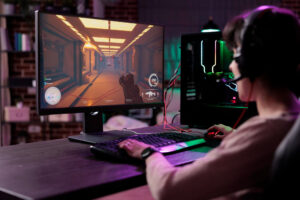
Why Build Your Own Gaming PC?
Before diving into the how-to, let’s talk about the “why.” Here’s what makes building your own system worth the time and effort:
-
Customization: Tailor your build to your specific games, workflow, and aesthetic preferences.
-
Better Value: Avoid the markup on pre-built systems and spend your budget where it matters—performance.
-
Upgrade-Friendly: Keep your system future-proof with parts you can swap out down the line.
-
No Bloatware: Start with a clean OS installation—no unnecessary trial software slowing things down.
-
Learning Experience: Understand your machine inside and out, making maintenance and upgrades easier.
Building your own gaming PC is like assembling your dream car. Every choice is yours—from the engine (CPU/GPU) to the paint job (RGB lighting).
Step-by-Step: How to Build a Gaming PC
Let’s break it down into manageable steps so you know exactly what to expect.
Step 1: Choose Your Components Wisely
Your PC’s power starts with its parts. Here’s what you’ll need:
-
CPU (Processor) – Intel or AMD; choose based on gaming + multitasking needs.
-
GPU (Graphics Card) – NVIDIA or AMD; the most important component for gamers.
-
RAM (Memory) – 16GB is standard; 32GB for streamers or content creators.
-
Motherboard – Make sure it’s compatible with your CPU and has the features you want (Wi-Fi, RGB headers, etc.).
-
Storage – SSDs for fast boot times and game loads; HDDs for mass storage.
-
Power Supply (PSU) – Choose a reliable brand with enough wattage and certification (look for 80+ Bronze or better).
-
Case – Pick one that fits your components and has good airflow.
-
Cooling – Stock coolers work, but aftermarket air or liquid cooling gives better thermals and less noise.
Tip: Use PCPartPicker.com to check compatibility and pricing across retailers.
Step 2: Assemble Your Machine
This is where the magic happens—and it’s easier than it sounds.
-
Install CPU and RAM onto the motherboard.
-
Mount the motherboard into the case using standoffs.
-
Insert the GPU and plug it into the PCIe slot.
-
Connect power cables from the PSU to the motherboard, CPU, and GPU.
-
Install storage drives and connect SATA or NVMe interfaces.
-
Add case fans and ensure airflow is optimized (front-to-back or bottom-to-top).
-
Tidy up cables for better cooling and a clean look.
Pro Tip: Watch a few YouTube tutorials beforehand—they make it much easier to follow along.
Step 3: Install Your Operating System
Now that your PC is physically ready, it’s time to bring it to life.
-
Use a USB drive with Windows 10/11 or Linux, and boot from it.
-
Follow on-screen instructions to install the OS.
-
Install motherboard drivers, GPU drivers, and other device-specific software for peak performance.
Avoid installing random software or “optimization” tools—these often slow things down more than they help.
Step 4: Customize and Optimize
Your build isn’t just about power—it’s also about personality.
-
RGB Lighting – Most cases and components allow for lighting control through software (e.g., ASUS Aura Sync, MSI Mystic Light).
-
Fan Curves and Overclocking – Tweak your BIOS or use software like MSI Afterburner for extra performance.
-
Game Launchers and Tools – Install only what you need: Steam, Epic Games, Discord, OBS for streamers.
Take some time to organize your desktop, adjust power settings, and set up cloud backups if needed.
Is Building a Gaming PC Worth It?
Absolutely. You not only get better performance for your money, but also gain a deeper understanding of the tech you’re using daily. Plus, if anything breaks or needs upgrading, you’ll already know how to handle it.
Compared to pre-built PCs:
| Feature | Pre-Built PC | Custom Build |
|---|---|---|
| Performance | Average (with markup) | Optimized per component |
| Upgrade Options | Often limited | Fully customizable |
| Software | Bloatware included | Clean OS installation |
| Aesthetic Control | Minimal | Fully personalizable |
| Cost Efficiency | Lower over time | Higher upfront, better value |
Who Should Consider Building One?
This isn’t just for hardcore gamers. If you’re:
-
A student looking for a budget-friendly system,
-
A streamer who needs high performance and multitasking,
-
A tech lover eager to learn and tinker,
-
Or a content creator needing GPU power for editing,
Building a PC is a solid investment in performance and flexibility.
Common Mistakes to Avoid
-
Ignoring compatibility – Double-check everything, especially motherboard and CPU socket.
-
Skipping thermal paste – Critical for CPU cooling.
-
Underpowering your system – Always get a quality PSU with headroom.
-
Not managing cables – Poor airflow leads to overheating.
-
Not updating drivers – Missing drivers can bottleneck performance.
Take your time, read the manuals, and when in doubt—Google it or ask the community.
Final Thoughts
Building a gaming PC is more than just assembling hardware—it’s about creating a machine that matches your goals, your style, and your future. From high frame rates to sleek RGB setups, the benefits are tangible every time you hit “Play.”
If you’re on the fence, start small: pick a budget, research a few parts, and explore tutorials. You’ll find the process is not only doable—but genuinely enjoyable.
Ready to start your build? Dive into forums, part lists, and guides to make your dream rig a reality. Your future self (and your games) will thank you.